Internal Troubleshooting Documentation
Note: Use the quick links on the left panel to jump directly to an issue.
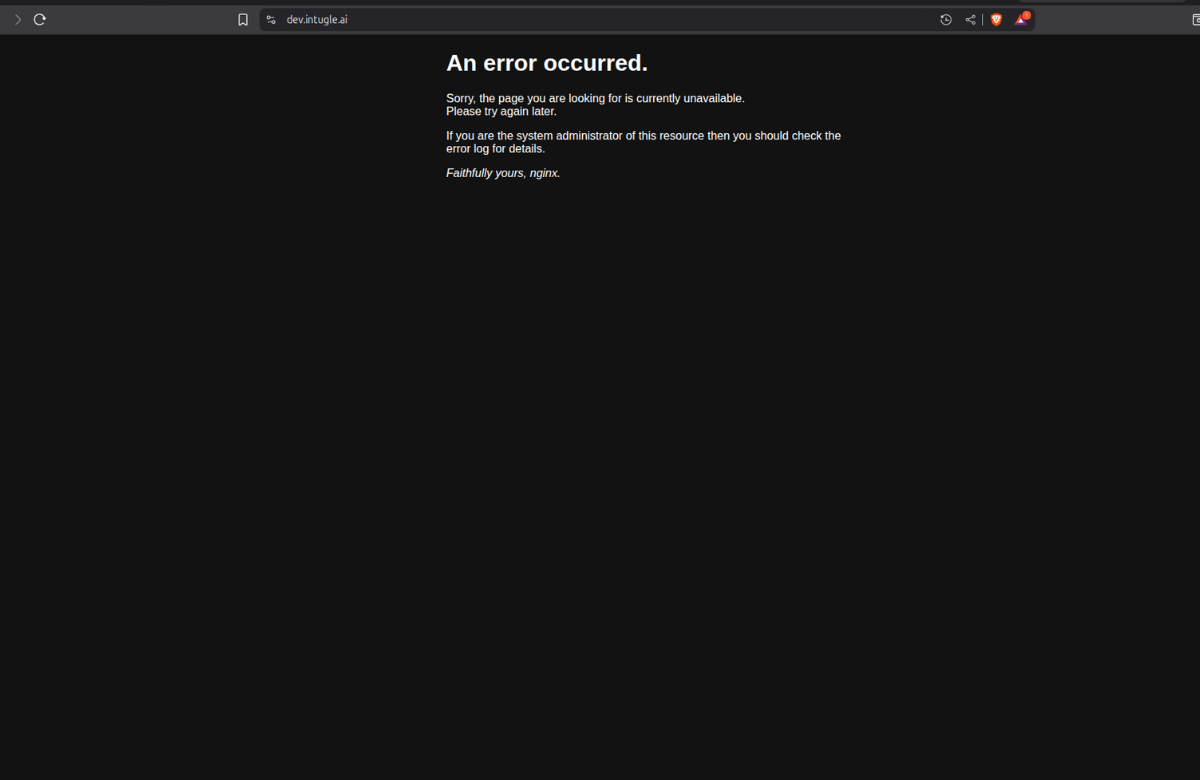
UI Not Available
Users are unable to access the website/UI interface. Application frontend is inaccessible.
Analysis
The UI pod has crashed or been scaled down in the Kubernetes deployment, causing the front-end service to become unavailable.
Mitigation
Check pod status in the dev namespace:
kubectl -n dev get pods
Verify if ui pod is in the list and its status.
If pod is down or missing, check for detailed status using:
kubectl describe pod ui
In the output, look for Last State, Reason, Exit Code, Started, and Finished fields.
Check the logs to understand the issue:
kubectl logs -f ui
Once issue is identified, take necessary steps.
Verify pod recovery:
kubectl -n dev get pods
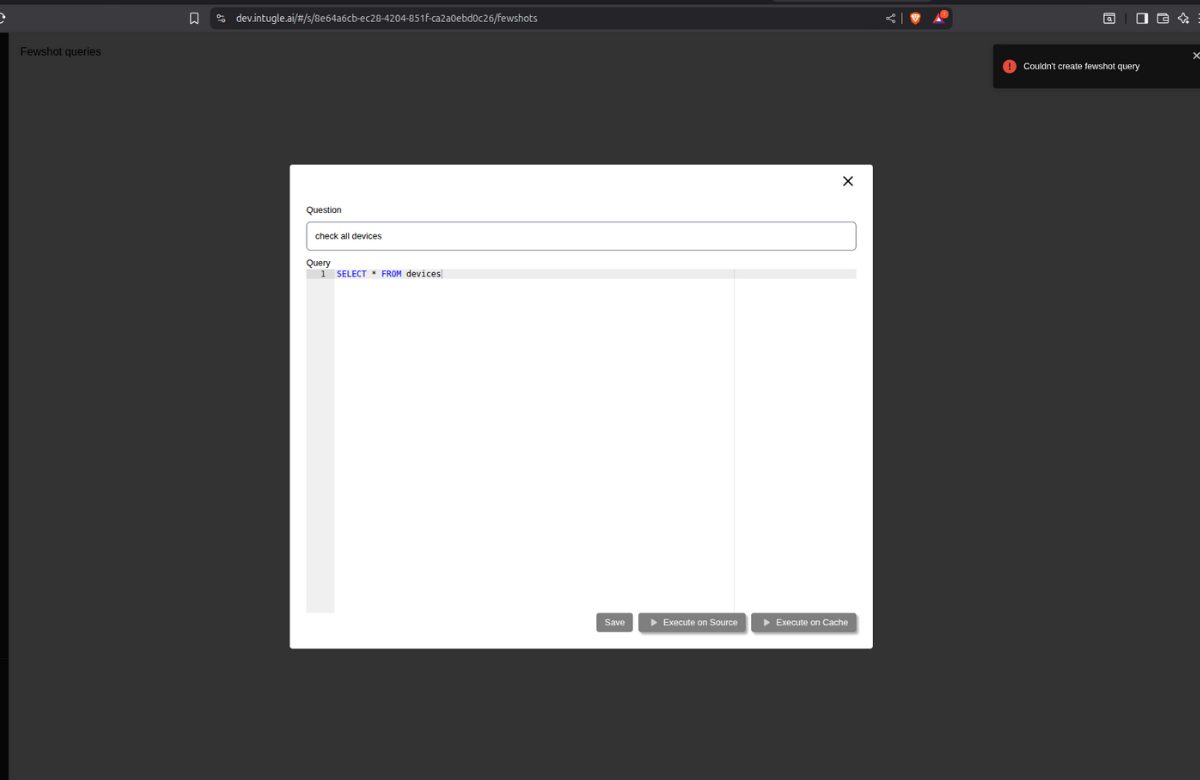
Unable to Save Fewshots in Chat AI
Users cannot save fewshots in the Chat AI interface. Save operation fails or does not persist.
Analysis
The aiservice pod responsible for handling fewshot save operations has crashed or been scaled down, preventing backend API calls from processing successfully.
Mitigation
Check pod status in the dev namespace:
kubectl -n dev get pods
Verify if aiservice pod is in the list and its status.
If pod is down or missing, check for detailed status using:
kubectl describe pod aiservice
In the output, look for Last State, Reason, Exit Code, Started, and Finished fields.
Check the logs to understand the issue:
kubectl logs -f aiservice
Once issue is identified, take necessary steps.
Verify pod recovery:
kubectl -n dev get pods
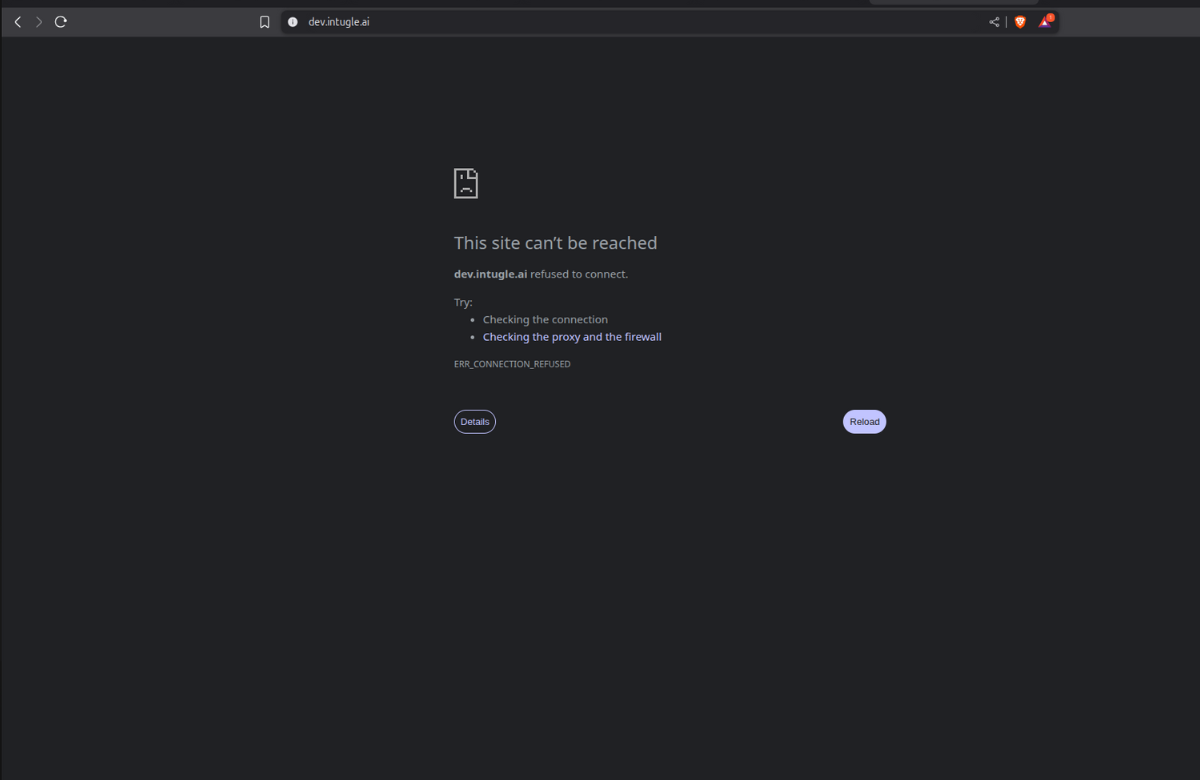
Unable to Access Application
Complete website inaccessibility. No pages load and users cannot reach the application.
Analysis
The dev-gateway pod (ingress/API gateway) has crashed or been scaled down, blocking all incoming traffic to the application services.
Mitigation
Check pod status in the dev namespace:
kubectl -n dev get pods
Verify if dev-gateway pod is in the list and its status.
If pod is down or missing, check for detailed status using:
kubectl describe pod dev-gateway
In the output, look for Last State, Reason, Exit Code, Started, and Finished fields.
Check the logs to understand the issue:
kubectl logs -f dev-gateway
Once issue is identified, take necessary steps.
Verify pod recovery:
kubectl -n dev get pods
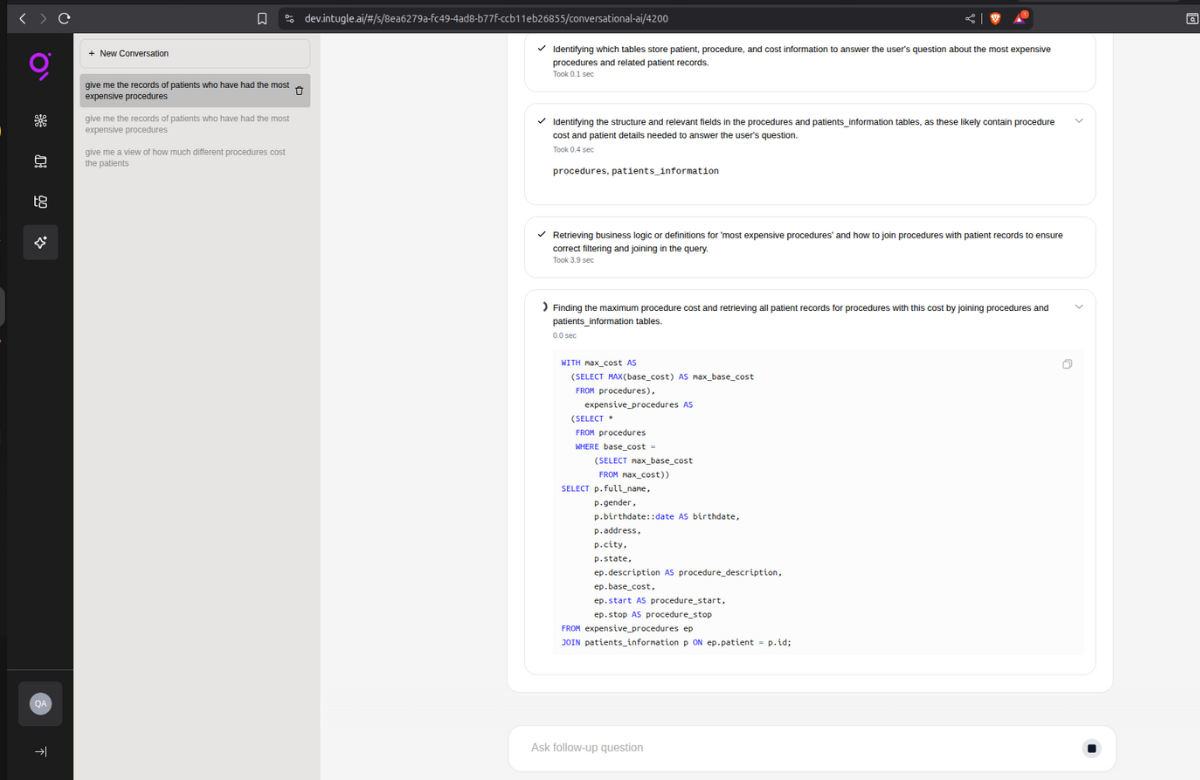
Unable to Create Data Products & Chat AI Query Stuck on Loading
Data product creation fails. In Chat AI, queries are generated when questions are asked, but the interface remains stuck on loading without returning results.
Analysis
The jobhandler pod responsible for asynchronous job processing and query execution has crashed or been scaled down, preventing background tasks and query results from being processed and returned.
Mitigation
Check pod status in the dev namespace:
kubectl -n dev get pods
Verify if jobhandler pod is in the list and its status.
If pod is down or missing, check for detailed status using:
kubectl describe pod jobhandler
In the output, look for Last State, Reason, Exit Code, Started, and Finished fields.
Check the logs to understand the issue:
kubectl logs -f jobhandler
Once issue is identified, take necessary steps.
Verify pod recovery:
kubectl -n dev get pods
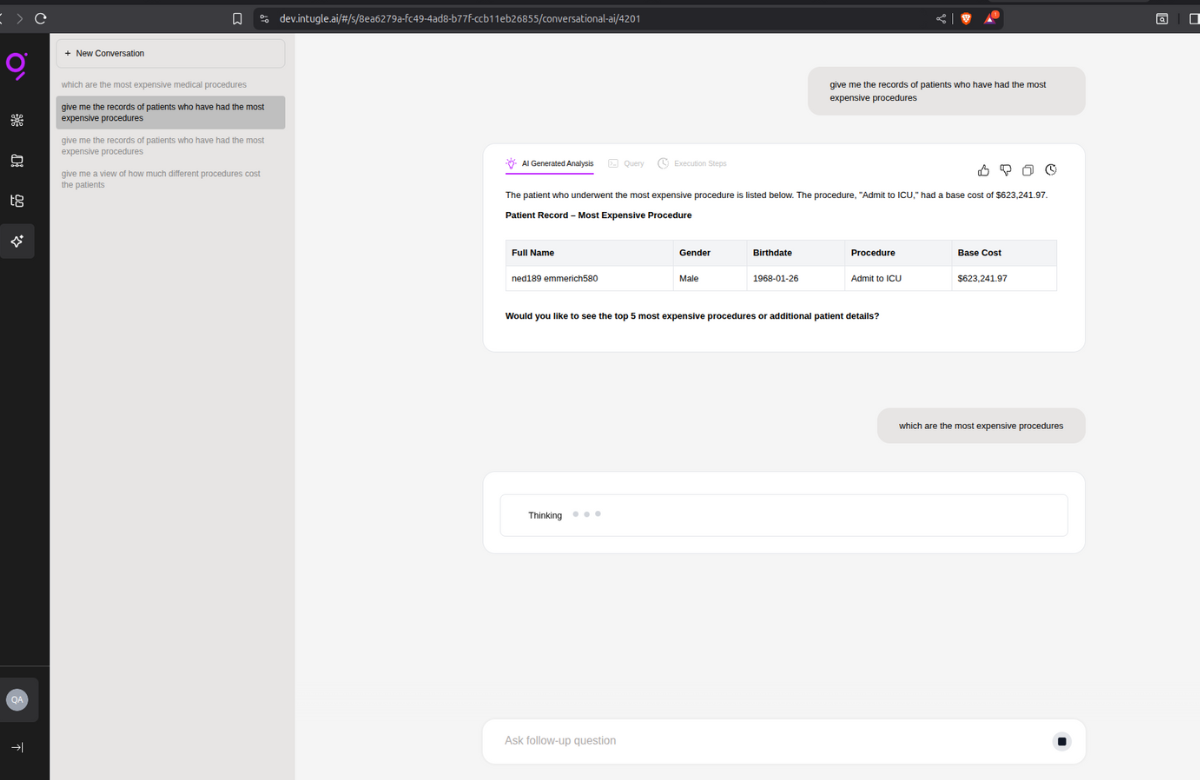
Chat AI Stuck in Thinking State
Chat AI shows "thinking" status indefinitely and fails to respond to user questions. No response is generated.
Analysis
The mcp-client pod responsible for handling AI model communication and response generation has crashed or been scaled down, causing the chat interface to hang without completing the inference request.
Mitigation
Check pod status in the dev namespace:
kubectl -n dev get pods
Verify if mcp-client pod is in the list and its status.
If pod is down or missing, check for detailed status using:
kubectl describe pod mcp-client
In the output, look for Last State, Reason, Exit Code, Started, and Finished fields.
Check the logs to understand the issue:
kubectl logs -f mcp-client
Once issue is identified, take necessary steps.
Verify pod recovery:
kubectl -n dev get pods
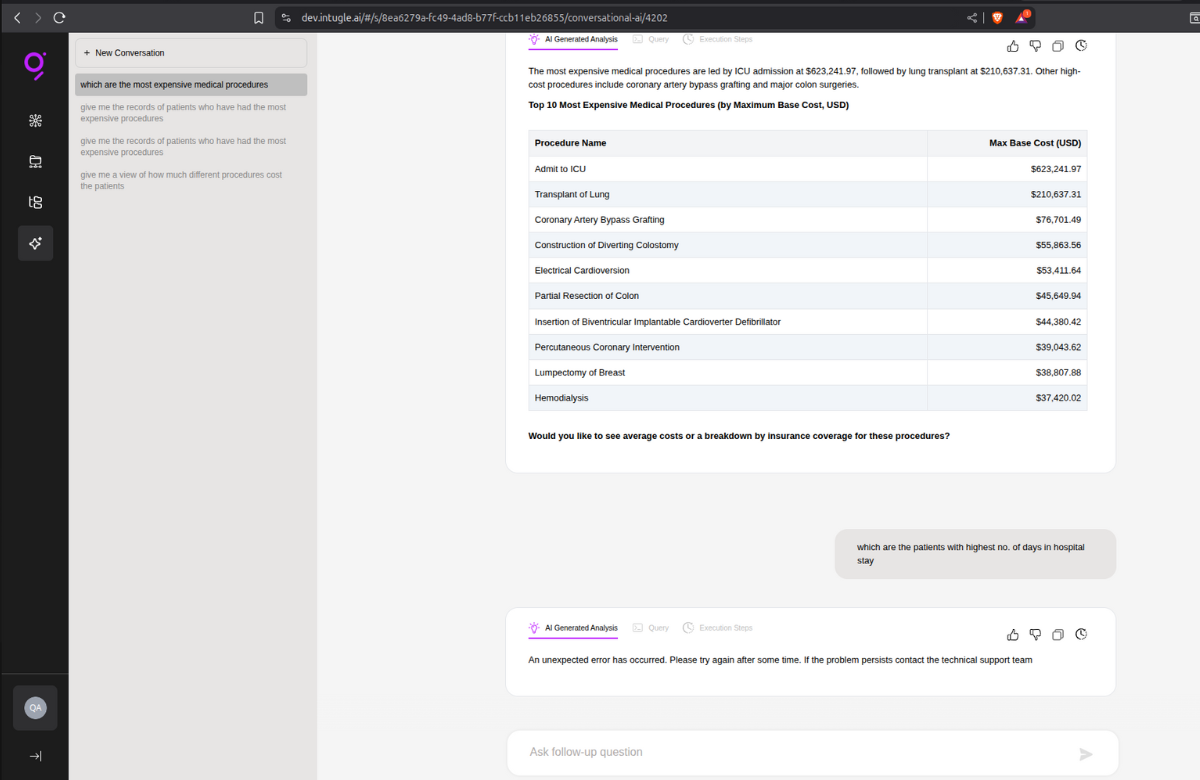
Chat AI Returns "Unexpected Error Occurred"
After asking a question in Chat AI, the interface displays the error message "An unexpected error occurred" instead of providing a response.
Analysis
The mcp-server pod responsible for serving AI model predictions and managing inference endpoints has crashed or been scaled down, causing request failures when the client attempts to fetch responses.
Mitigation
Check pod status in the dev namespace:
kubectl -n dev get pods
Verify if mcp-server pod is in the list and its status.
If pod is down or missing, check for detailed status using:
kubectl describe pod mcp-server
In the output, look for Last State, Reason, Exit Code, Started, and Finished fields.
Check the logs to understand the issue:
kubectl logs -f mcp-server
Once issue is identified, take necessary steps.
Verify pod recovery:
kubectl -n dev get pods
Fewshots Not Saving & Analytics Catalog @command Not Working
Fewshots fail to save in Chat AI. In Analytics Catalog, the @command for fetching tables/columns does not work or return results.
Analysis
The qdrant vector database pod has crashed or been scaled down, preventing vector embeddings storage and retrieval operations required for fewshot persistence and catalog metadata searches.
Mitigation
Check pod status in the dev namespace:
kubectl -n dev get pods
Verify if qdrant pod is in the list and its status.
If pod is down or missing, check for detailed status using:
kubectl describe pod qdrant
In the output, look for Last State, Reason, Exit Code, Started, and Finished fields.
Check the logs to understand the issue:
kubectl logs -f qdrant
Once issue is identified, take necessary steps.
Verify pod recovery:
kubectl -n dev get pods
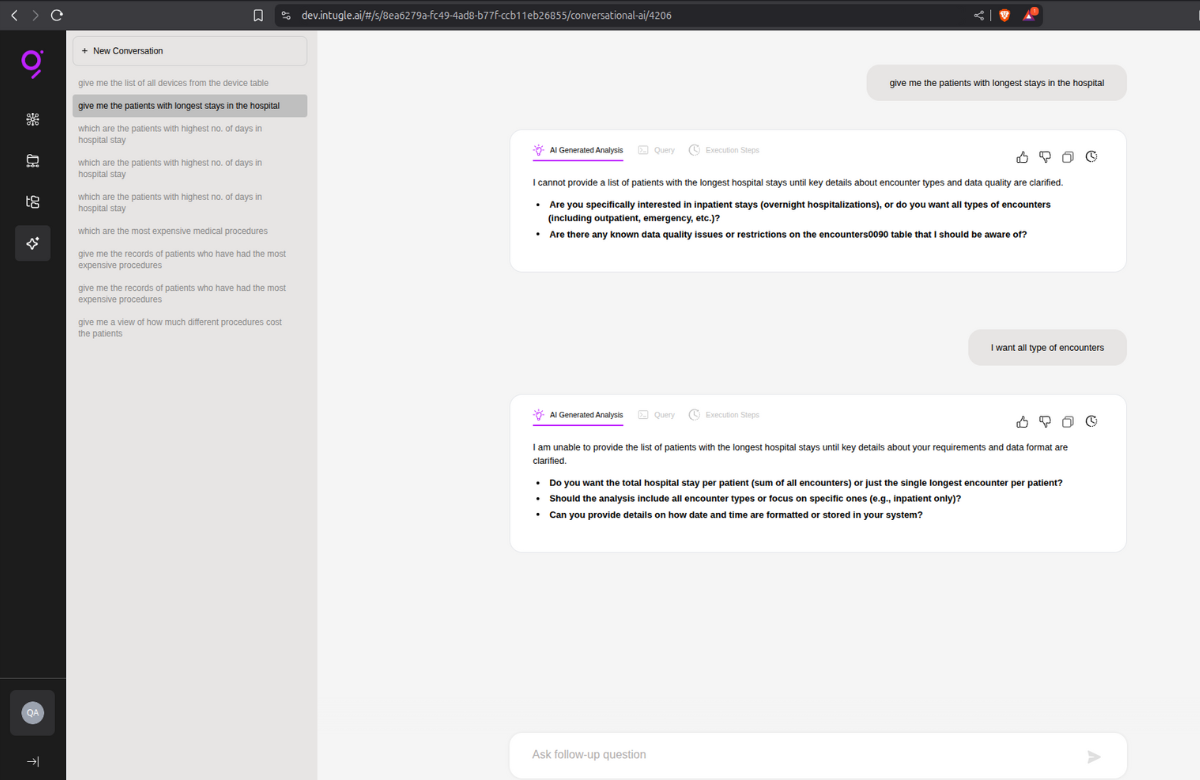
Chat AI Table Access Error
When asking questions in Chat AI, the interface displays error messages:
"Persistent technical issue preventing access to the table" "Are there any known data quality issues or restrictions on specific table?"
Analysis
The vault pod responsible for managing secrets, credentials, and database connection configurations has crashed or been scaled down, preventing the application from retrieving necessary credentials to access data tables.
Mitigation
Check pod status in the dev namespace:
kubectl -n dev get pods
Verify if vault pod is in the list and its status.
If pod is down or missing, check for detailed status using:
kubectl describe pod vault
In the output, look for Last State, Reason, Exit Code, Started, and Finished fields.
Check the logs to understand the issue:
kubectl logs -f vault
Once issue is identified, take necessary steps.
Verify pod recovery:
kubectl -n dev get pods
Additional Step: Unseal Vault
Since Vault has restarted, it needs to be unsealed. Set up port forwarding:
kubectl port-forward -n dev svc/dev-vault 8201:8200
Open your browser and navigate to localhost:8201
Enter the 3 unseal keys (you'll need to enter each key separately).
Once all 3 keys are entered, Vault will be unsealed and operational.
Note: Keep the port-forward terminal running while accessing the Vault UI. Press
Ctrl+Cin the terminal to stop port forwarding once unsealing is complete.
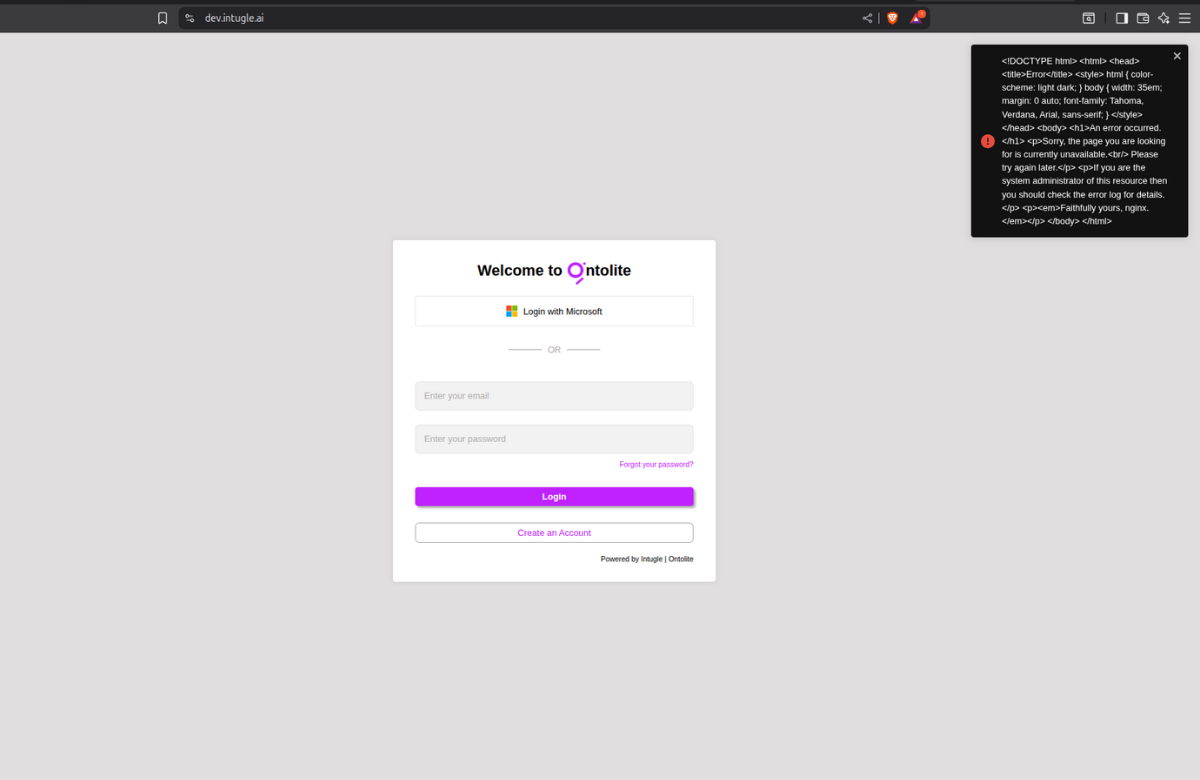
Error While Logging In
Users encounter errors when attempting to log in to the application. Login attempts fail or return error messages, preventing authentication and access to the platform.
Analysis
The api pod responsible for handling authentication requests and login operations has crashed or been scaled down, preventing user credentials from being validated and session tokens from being generated.
Mitigation
Check pod status in the dev namespace:
kubectl -n dev get pods
Verify if api pod is in the list and its status.
If pod is down or missing, check for detailed status using:
kubectl describe pod api
In the output, look for Last State, Reason, Exit Code, Started, and Finished fields.
Check the logs to understand the issue:
kubectl logs -f api
Once issue is identified, take necessary steps.
Verify pod recovery:
kubectl -n dev get pods
Chat AI Stuck at Thinking & Fewshots Not Running
Chat AI shows "thinking" status indefinitely and fails to respond. Fewshots are not running but are getting saved successfully.
Analysis
The kafka pod responsible for message queuing and event streaming has crashed or been scaled down, preventing asynchronous message processing required for AI response generation and fewshot execution workflows.
Mitigation
Check pod status in the dev namespace:
kubectl -n dev get pods
Verify if kafka pod is in the list and its status.
If pod is down or missing, check for detailed status using:
kubectl describe pod kafka
In the output, look for Last State, Reason, Exit Code, Started, and Finished fields.
Check the logs to understand the issue:
kubectl logs -f kafka
Once issue is identified, take necessary steps.
Verify pod recovery:
kubectl -n dev get pods
Unable to Access Website & Subscriptions API Not Working
Complete website inaccessibility. Users cannot access the application and subscriptions API is not responding.
Analysis
The redis pod responsible for caching and session management has crashed or been scaled down, preventing session validation and causing gateway/API routing failures.
Mitigation
Check pod status in the dev namespace:
kubectl -n dev get pods
Verify if redis pod is in the list and its status.
If pod is down or missing, check for detailed status using:
kubectl describe pod redis
In the output, look for Last State, Reason, Exit Code, Started, and Finished fields.
Check the logs to understand the issue:
kubectl logs -f redis
Once issue is identified, take necessary steps.
Verify pod recovery:
kubectl -n dev get pods
MongoDB Down
No known user-facing issues were reported, but MongoDB pod is unavailable.
Analysis
The mongodb pod responsible for document storage and NoSQL database operations has crashed or been scaled down. While no immediate user-facing issues are visible, certain backend operations relying on MongoDB may fail silently or degrade application performance.
Mitigation
Check pod status in the dev namespace:
kubectl -n dev get pods
Verify if mongodb pod is in the list and its status.
If pod is down or missing, check for detailed status using:
kubectl describe pod mongodb
In the output, look for Last State, Reason, Exit Code, Started, and Finished fields.
Check the logs to understand the issue:
kubectl logs -f mongodb
Once issue is identified, take necessary steps.
Verify pod recovery:
kubectl -n dev get pods
MSSQL Down - Subscriptions & Chat AI Issues
Multiple application features are experiencing failures but only in subscriptions which are connected via MSSQL. Chat AI displays technical errors and fails to respond to questions. Fewshots are not running but are getting saved successfully. Unable to publish subscriptions. Only subscriptions whose source database is on MSSQL are affected.
Analysis
The mssql pod responsible for relational database operations has crashed or been scaled down.
This affects all workflows that query MSSQL as the source database, including subscription management, data retrieval for Chat AI responses, and fewshot execution pipelines that depend on MSSQL data sources.
Mitigation
Check pod status in the dev namespace:
kubectl -n dev get pods
Verify if mssql pod is in the list and its status.
If pod is down or missing, check for detailed status using:
kubectl describe pod mssql
In the output, look for Last State, Reason, Exit Code, Started, and Finished fields.
Check the logs to understand the issue:
kubectl logs -f mssql
Once issue is identified, take necessary steps.
Verify pod recovery:
kubectl -n dev get pods