Intugle User Guide
Intugle is an AI-powered data platform that lets you query your business data in plain English, build and deploy AI-powered apps, connect data sources, and automate workflows — all without writing code.
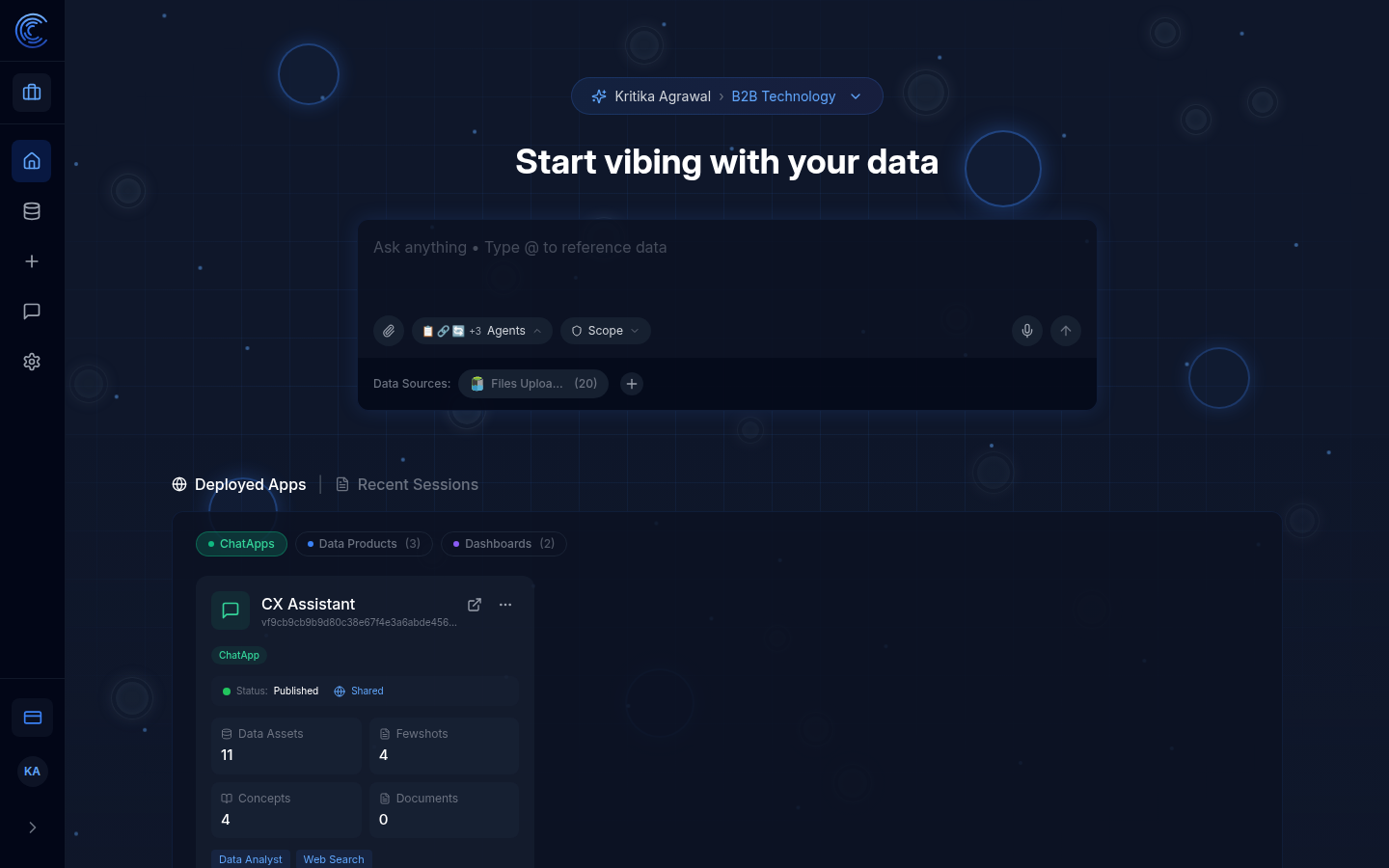
Getting Started
New to Intugle? Follow these steps to get up and running:
| Step | What to Do | Where |
|---|---|---|
| 1 | Log in with your email and password (or Google/Microsoft SSO) | app.intugle.ai |
| 2 | Select your workspace or create a new one | Workspace switcher (top of page) |
| 3 | Connect your data — upload files or link a database | Data Connections |
| 4 | Ask a question about your data in plain English | Chat input on the Homepage |
| 5 | Review the AI response — charts, tables, and insights appear inline | Chat session |
| 6 | Deploy an app (optional) — publish a ChatApp, Data Product, or Dashboard for your team | Deployed Apps panel on Homepage |
Key Concepts
Before diving in, here are the core concepts you will encounter throughout Intugle:
| Concept | What It Means |
|---|---|
| Workspace | An isolated environment for a project or team. All data, apps, sessions, and settings belong to a workspace. You can switch between workspaces at any time. |
| Session | A single conversation thread with the AI. Every question you ask starts or continues a session. Sessions are saved automatically. |
| Agents | Specialised AI modules that each handle a different type of task (data analysis, web search, document lookup, etc.). You can toggle them on/off per query. |
| Scope | A filter that limits which data the AI can access — by domain, table, app, or tag. Useful for focusing queries on a specific part of your business. |
| Semantic Data Graph | A visual map of all your data tables and their relationships, built automatically when you connect data. The AI uses this to understand your schema. |
| ChatApp | A deployed conversational AI app that your team or customers can use to ask questions — without needing access to the full Intugle platform. |
| Data Product | A structured, processed dataset output from a data pipeline — like a materialised view or ETL result. |
| Dashboard | A visual app with charts, tables, and metrics built from your connected data. |
| Few-Shots | Example question-and-answer pairs that train the AI to respond more accurately for your specific business context. |
What You Can Do With Intugle
| Capability | Description |
|---|---|
| Ask questions | Type any question about your data and get instant AI-generated answers |
| Deploy ChatApps | Build conversational AI apps for your team or customers |
| Create Data Products | Build and run structured data pipelines |
| Build Dashboards | Visualise your data with charts and metrics |
| Connect Data Sources | Link databases, files, APIs, and cloud storage |
| Configure Agents | Customise how AI agents reason over your data |
| Automate with Prompt Flow | Chain prompts and logic into automated workflows |
Manual Structure
| Page | What It Covers |
|---|---|
| Page 1 — Homepage | The main hub — chat, workspace, deployed apps, sessions |
| Page 2 — Data Connections | Connecting and managing data sources |
| Page 3 — New Session | Starting a fresh data conversation |
| Page 4 — Sessions | Viewing and resuming past conversations |
| Page 5 — Prompt Flow & Agents | Agent Configurator, Few-Shots, Analytics Catalog, Metadata, Semantic Data Graph |
| Page 6 — Profile & Settings | Managing your account and workspaces |
Need Help?
- Stuck? Check the relevant page in this manual for step-by-step instructions
- Permissions issue? Contact your workspace administrator
- Platform support? Reach out to the Intugle support team
Version 1.0 — May 2026